Loading...

Creator's Cut

The Editing Course

Edit Videos thatStop the Scroll& Get You Paid

A practical course for anyone tired of asking "why don't my videos look like that?" - and "why isn't any of this working?"

From strategy to edit - build content that's recognizable, intentional, and built to grow.

Taught in CapCut

I used to edit like most people do:
trim, slap music on, add some text,
hope for the best.

My content wasn't horrible.
It was... forgettable.

(and let's be honest: NOT performing at all)

putting in the work
and having nothing
to show for it in reach
or growth

Then I thought:what if editing isactuallya performance tool?

So I applied mymarketing brain, dida ton of trial and error,built the technical skills- and eventually I had

a system

Not to be dramatic but...
everything changed.

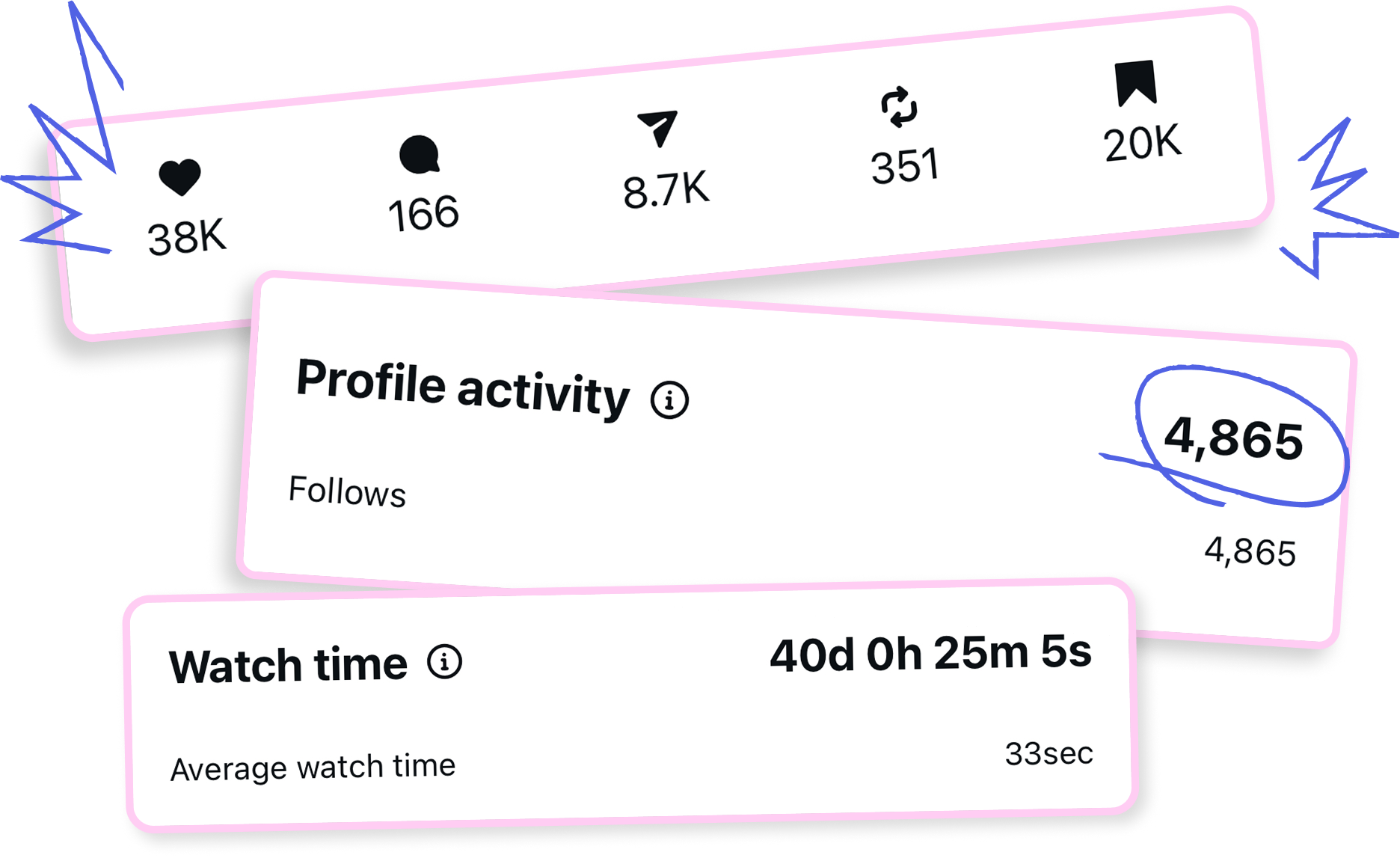
of brand partnerships
are inbound

100%

higher pay for creatively edited
campaigns vs standard ads

+70%

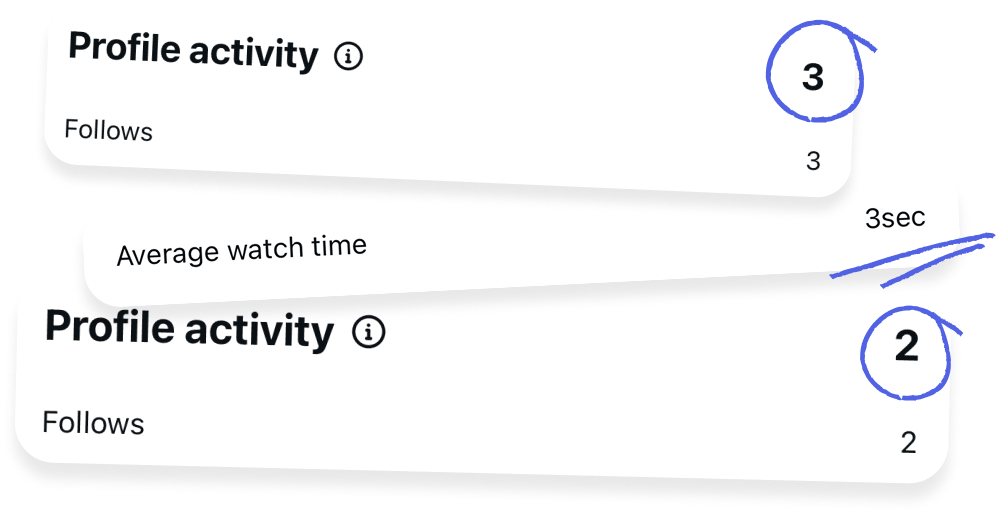
retention on my intentional edits

+25%

more viewers converting
into followers

+35%

Editingis leverage.

And it's been
my biggest one.

Join Creator's Cut

Program

Creator's Cut is built
in three stages

The Strategy &Positioning

that makes every
creative decision
intentional

The Filming

that gives you
something worth
editing

The TechnicalExecution

in CapCut

What you will learn:

Module 0 - Onboarding

Preheat the oven. Skip it and nothing bakes right.

01. Welcome to Creator's Cut. Your editing era begins!

02. How this course works

Module 1 - Editing Thinking

The recipe. You can't bake a cake without one.

01. Strategy & Positioning

  • Your Content "Job"
  • Building a simple, useful content strategy (not a 40-page deck - an actual working tool)
  • Pillars vs Positioning & Differentiation
  • Should you niche down to grow? The biggest misconception

02. Personal Brand

  • Developing a personal brand
  • Translating your personal brand into consistent editing decisions
  • Visual identity

03. Where ideas actually come from

  • Where to look for inspiration that doesn't make you copy (beyond Pinterest)
  • Creativity tools & frameworks
  • How to build a personal reference library and actually use it (not just save things and forget them)
  • How to adapt a trend instead of copying
  • How your editing style becomes recognizable - the role of repeated creative decisions over time

04. From Idea To Concept

  • How to turn an idea to a real, executable concept
  • Narrative structures for short-form video
  • The retention rollercoaster: how emotional pacing keeps people watching
  • Script writing process
  • How a working hook is actually built
  • How to build an editing storyboard (tools that can be used + AI + collabs briefs)
  • Translating abstract ideas into visual logic

05. Workflow & Organization

  • How to organize your camera roll + editing workspace so decisions feel easy instead of exhausting
  • Folder systems that actually work
  • Why organization is a creative decision - not just a productivity hack
  • Building a repeatable workflow so every video takes less time than the last
  • Exposing my workflow
Module 2 - Editing Capture

The ingredients. Bad ones going in = bad cake coming out. No edit saves bad footage. Shoot footage that's actually edible editable.

01. Filming Basics

  • Phone-first filming setup
  • Essential gear and smart extras
  • Camera settings
  • Lighting principles

02. Film with editing in mind

  • Stop sabotaging your edit before you open CapCut
  • What to film when you don't know what to film
  • The "coverage" rule that makes your edit effortless
  • The most common filming mistakes that make editing way harder than it needs to be

03. Planning before you film

  • The shotlist framework
  • Clip types that create "editorial" rhythm
  • Smooth transitions start before you open CapCut
  • How to film on the go

04. Your B-Roll is Boring and how to fix it

  • Meaningful b-roll vs filler b-roll
  • B-roll angles that always work

05. Audio Capture

Module 3 - Editing Execution

The actual baking. Mixing, layering, decorating — this is where it becomes a cake.

Dynamics & Cuts

01. CapCut Tour (Mobile & Desktop)

    02. The Clean Cut

    • Raw footage is not a video. How to turn it into one
    • How to cut raw footage for smooth pacing and natural flow
    • How to identify weak, repetitive, or unnecessary moments
    • What to remove vs. what to keep to preserve clarity, rhythm, and intent
    • The logic of a rough cut: why you edit for story before you edit for style

    03. Adding Dynamics

    • How to pull "more life" from your footage
    • Wide, medium, close-up - when to use each
    • Creating motion with camera tracking and reframing inside CapCut
    • When to animate vs. when to let the shot do the work
    • Desktop: using curves for non-mechanical, organic motion
    • Keyframes vs. jump cuts - which creates better energy and where

    04. Transitions

    • Transitions that happen in the edit vs. transitions planned before filming
    • CapCut's built-in transitions
    • Match cuts
    • How to spot and adapt a transition trend
    • Transition ideas library

    Clean & Crispy

    01. Colour Correction

    • The basics of colour correction: exposure, contrast, white balance, saturation
    • When and why to use filters - and a short intro to LUTs on desktop
    • How to match colour correction across clips
    • Using AI for colour correction
    • The most common colour mistakes that make footage look artificial or flat

    Text & Subtitles

    01. Text Placement

    • How to place text and subtitles within safe zones
    • Using layout rulers
    • Subtitles mistakes that hurt watch time & fixes
    • How to work with CapCut's auto-captions: editing, styling, and syncing them properly

    02. Text Styling

    • How to choose fonts that match your brand + the video's tone
    • Font pairing
    • How to style text: size, weight, letter spacing, contrast, background treatments
    • My signature trending subtitles (The blurred background, the polka dot, and other subtitle styling approaches)
    • CapCut effects for captions

    Sound Design

    01. Rhythm & music

    • How to choose music that supports the story, pacing, and emotion of the video
    • Copyright-free music 101
    • Using multiple tracks in one video (why & how)
    • Fades, overlaps, rhythm-based cuts, SFX bridges, riser sounds
    • IG & TikTok audio rules
    • How to edit to the music - not just drop music onto a finished edit
    • The trending sound pipeline

    02. Voiceover editing

    • How to cut a voiceover cleanly
    • L-cuts and J-cuts
    • Checking sound levels in CapCut on desktop
    • AI voice enhancement tools
    • Speed adjustment
    • How to layer voiceover with music and SFX so nothing drowns out anything else

    03. Sound effects

    • How to place SFX with intention (not just 'add a whoosh and call it done')
    • How sound effects improve the perceived smoothness and clarity of an edit (the psychology of it)
    • Where to find high-quality SFX
    • How to sync SFX to motion, cuts, and the moment a sticker appears
    • How audio sells the illusion
    • Building a personal SFX library

    Animations & Creative Techniques

    01. Creative Overlays

    • My overlay recipe
    • How to use stickers and graphic elements intentionally so they belong in the video
    • Overlay hierarchy
    • Where to find high-quality graphic assets
    • Memes and cultural context
    • How to create custom stickers
    • How to avoid visual overload
    • Pacing checklist

    02. Keyframes

    • The gap between an edit that moves and an edit that flows
    • How to use keyframes beyond the basic zoom and pan
    • Frame-level keyframing
    • Desktop curves for non-linear, non-mechanical motion
    • Animating subtitles with intention
    • Keyframes for complex motion effects

    03. Masks

    • Mask types and feathering - beyond basic shapes
    • Masks + keyframes for controlled motion and tracking
    • Masks + adjustment layers for selective color and light shaping
    • Masks + effects for depth, blur, and layered compositions
    • Using masks to add texture without visual noise
    • Common masking mistakes that reduce production value

    04. Stop-motion

    • How to use stop-motion inside short-form video
    • Stop-motion + SFX duo

    05. Compound clips (Desktop mastery)

    • How to make complex, layered edits actually manageable - and what most people have never been shown
    • What compound clips are, why they exist, and why they change how you approach layered edits
    • Motion blur for animations so they feel natural instead of digital
    • Collage-style editing
    • Desktop effects used with intention: blur, textures, subtle jiggles - and when not to use them
    • Mobile alternative

    The Capstone

    • Put your knowledge to work
    • Real-time edit breakdown of my real videos from concept to final cut
    • See exactly which tools I use (and in what order)
    • Understand my decision-making behind each creative choice
    • Learn how the same system adapts to different video styles
    Module 4 - The Wrap

    Add a cherry on top. Then taste before you serve.

    01. Before you post

    • The checklist that runs in the background of every good editor's brain
    • Export settings

    02. Thumbnails

    • Stop letting your thumbnail sabotage your performance (and your feed)
    • Why the thumbnail is a different design problem to the video
    • The thumbnail that gets the click
    • How to design thumbnails that feel consistent with your visual identity

    03. CapCut vs. Edits app

    • What the Edits app actually does well and where it outperforms CapCut
    • Edits crash course 101
    • A simple decision framework: CapCut vs. Edit

    04. Graduation (Fine Cut & Signature Cut only)

    • Submit your work
    • Get real, detailed feedback
    • Leave knowing exactly what to focus on next

    Everything that moved
    the needle for me -

    the technical skills

    the creative decisions

    the why this works

    is now inside

    Creator's Cut

    This is howbeautiful edits becomea competitiveadvantage

    Join Creator's Cut

    AfterCreator's Cut,you'll:

    Know exactly what you're building
    and for whom

    So every piece of content has a job,
    direction, and a reason to exist.

    Edit with a recognizable,
    premium style

    So your content looks expensive
    and instantly "you".

    Build edits that hold attention
    and convert

    So you get better retention + more
    followers from the same views.

    Turn your editing into real
    career leverage

    So better opportunities find you
    - not the other way around.

    See the Creator's Cut
    system in action:

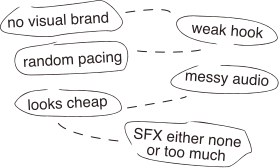
    The scroll-past version

    The retention builder

    Who is this for?

    Creators & Influencers

    who want a distinct style, stronger content, audience growth, and better brand opportunities

    Editors & Social Media Managers

    who want to deliver higher-end work, build a stronger portfolio, stand out in the market, and charge more

    This is NOT for:

    People who want one-click
    templates

    People looking for viral hacks

    People who aren't
    willing to practice

    This is skill building.

    Brandsthat hired me

    for this exact style

    Click a video to play

    Chooose Your Cut

    Standard Cut

    The full course access. Learn at your own pace.

    • All 30 lessons
    • All downloadable resources, assets, tempates, sticker packs & SFX
    • 12 months access to complete at your own pace

    50
    spots

    Fine Cut

    Full course + detailed audit of your work

    Everything in The Standard Cut, plus:

    • A timestamped, second-by-second audit of your video: structural, creative & technical - what's not working, why, and exactly how to fix it
    • Specific recommendations for pacing, SFX, visuals, and text so you leave with a clear improvement plan
    • We'll guide you on which video to submit so you get the most value

    Sold
    Out

    Signature Cut

    Full course + detailed audit of your work + 1:1 strategy session

    Everything in The Fine Cut, plus:

    • 60-minute 1:1 session with Lisa - your content, your strategy, your questions
    • Priority audit turnaround

    C$1199

    Sold Out

    FAQ

    What platform is the course taught on?

    Creator's Cut is taught in CapCut - the exact platform I use for all of my creatively-led videos.

    CapCut gives you enough flexibility to achieve advanced, intentional editing without the steep learning curve of tools like Premiere or DaVinci.

    If you edit on other platforms, the strategic and psychological frameworks are fully transferable. The technical demonstrations, however, are shown in CapCut.

    Is this for CapCut mobile or desktop?

    Both! The course covers CapCut mobile and desktop. That said, I recommend desktop for the extra flexibility and features.

    If you're intimidated by desktop editing and think it's "only for professionals" - trust me, it's not! Once you try it, editing on a bigger screen is honestly a cheat code. It's faster, cleaner and more efficient.

    The principles apply to both.

    Do I need CapCut Pro?

    CapCut Pro is strongly recommended.

    You can follow along on the free version too, but some advanced effects and tools used inside the course require Pro access.

    If you want full flexibility and zero limitations while implementing, Pro is worth it.

    Is this beginner-friendly?

    If you're new, the course includes full walkthroughs of CapCut (mobile + desktop) to get you up to speed. But the system goes deep enough that even experienced creators will walk away rethinking how they work.

    Which tier should I choose?

    All tiers include the full Creator's Cut program. The difference is the level of support.

    If you want the full system and prefer to implement independently, Standard Cut is a strong option.

    If you want direct, detailed, personalized insight into your editing, Fine Cut gives you a full professional audit. This isn't surface-level "feedback" - it's a timestamped breakdown of your video with clear callouts (what's not working, why it's happening, and exactly how to fix it), including specific recommendations for pacing, sound design, effects, and structure. The goal isn't just to improve one post - it's to identify patterns you can apply across your future edits. Audit submissions are completed within your first 90 days, with up to 2 weeks turnaround timing.

    If you want direct time with me to refine your positioning, branding, creative direction (or literally anything!), Signature Cut is the highest-touch option. You'll pre-submit a form so I can review context in advance and we can go straight into the good stuff. Right now, this is the only way to get direct 1:1 time with me - I don't offer separate consultations due to availability. Signature Cut also includes priority audit turnaround.


    How detailed is the video audit in Fine Cut and Signature Cut tiers?

    This is not surface-level feedback.

    You'll receive a timestamped, second-by-second breakdown of your video, including:

    • Structural analysis
    • Creative decision review
    • Technical corrections
    • Clear recommendations for improvement

    The goal isn't just to improve one video - it's to help you identify patterns you can apply across all future edits.

    If I purchase Fine Cut or Signature Cut, when do I need to submit my audit or book my call?

    Audit submissions and 1:1 sessions are completed within your first 90 days inside the program to maintain momentum.

    When do I get access to the course?

    You get access the moment you enroll.

    Each module builds on the last, so watch in order, do the exercises, and implement between lessons.

    That's where the real shift happens!

    How long will it take to complete the course?

    Creator's Cut includes 30 lessons, averaging 15–30 minutes each - plus real-time edit breakdowns where I walk through my own videos.

    You can move at your own pace - you’ll have full access for 12 months.

    But remember that the goal isn’t to binge-watch. It’s to apply as you go and see your edits improve in real time. Consistent, focused implementation keeps your creative thinking sharp.

    How long do I have access to the course?

    You'll have 12 months of access to the full program and materials.

    Fine Cut audits and Signature Cut 1:1 sessions are scheduled within your first 90 days to maintain momentum and structured delivery.

    Will this work for my type of content?

    If your content lives on short-form platforms (Reels, TikTok, Shorts), yes. The system is built around editing thinking and execution. The technical skills and the creative process apply whether you make talking head videos, vlogs, UGC, tutorials, lifestyle, behind-the-scenes, brand content, or social media for a business.

    The examples may vary, but the principles behind what makes an edit feel premium (and perform) are universal - and you'll learn how to adapt them to your style or the style of the business you work for.

    Is this refundable?

    Because this is a digital product with immediate access to all materials, refunds are not offered.

    Please review the sales page carefully and choose the tier that fits your needs. If you have questions before enrolling, reach out to [email protected]

    Can I write this off as a business expense?

    100%! If you're self-employed, Creator's Cut can be categorized as a professional development expense. You'll receive an invoice upon purchase.

    Can I get my company to pay for this?

    If you're an employee, many companies are happy to cover skill-based training. See my template to ask your company to cover Creator's Cut through your L&D budget.

    Creator's Cut

    gives you the exact system behind
    the edits that helped me stand out,
    grow, attract better opportunities,
    and turn creative content into
    a real advantage

    If you're done guessing- and ready to editwith intention -choose your cut

    Join Creator's Cut